
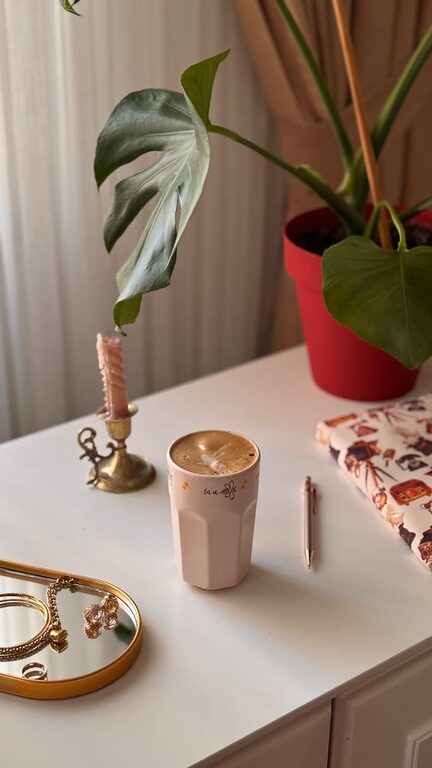
Creating a relaxing home workspace is essential for maintaining focus, reducing stress, and boosting productivity during your workday. Whether you’re working remotely full-time or just need a quiet corner for occasional tasks, your environment plays a big role in how comfortable and effective you feel. Here’s a step-by-step guide to help you design a calm, inviting workspace at home.
Why a Relaxing Workspace Matters
Your workspace affects your mood and efficiency. A cluttered, uncomfortable space can increase stress and reduce focus, while a well-organized, peaceful workspace encourages creativity and concentration. Making small changes can transform your home office into a sanctuary that supports your work and wellbeing.
Step 1: Choose the Right Location
Pick a spot in your home that offers:
– Natural light: Sunlight helps improve mood and alertness.
– Quiet environment: Avoid areas with heavy foot traffic or distracting sounds.
– Adequate space: Enough room for your desk, chair, and necessary equipment.
If possible, use a separate room for your workspace to create clear boundaries between work and home life.
Step 2: Invest in Comfortable Furniture
Comfortable furniture is key for long work hours.
– Ergonomic chair: Supports your back and encourages good posture.
– Desk at the right height: Ensures your arms rest comfortably while typing.
– Footrest or adjustable desk (optional): Can improve overall comfort and circulation.
Try to mimic your office setup or consult guides on proper ergonomic positioning.
Step 3: Declutter and Organize
A tidy workspace reduces distractions and helps you find what you need quickly.
– Keep only essential items on your desk.
– Use organizers, drawers, or shelves for papers and supplies.
– Create a system for regularly clearing out unnecessary clutter.
Step 4: Add Calming Colors and Decor
Colors can influence your mood and productivity.
– Choose soft, neutral, or pastel colors like light blues, greens, or beige for walls and accessories.
– Avoid overly bright or harsh colors that can cause fatigue.
– Add plants or artwork that you find soothing and inspiring.
Step 5: Control Lighting
Proper lighting reduces eye strain and creates a pleasant atmosphere.
– Use a combination of natural light and soft artificial lighting.
– Consider desk lamps with adjustable brightness.
– Avoid harsh overhead fluorescent lights.
Step 6: Personalize Your Space
Adding personal touches makes your workspace feel inviting.
– Include items that motivate you, like photos, quotes, or mementos.
– Use a bulletin board or planner to keep your goals visible.
– Incorporate your favorite scents with candles or essential oil diffusers.
Step 7: Manage Noise and Distractions
Sound impacts your focus.
– Use noise-cancelling headphones or white noise machines if needed.
– Set rules with family or housemates to respect quiet times.
– Position your desk away from noisy appliances or busy rooms.
Step 8: Keep Essentials Within Reach
Keep frequently used items nearby to minimize disruptions.
– Pens, notebooks, chargers, and headphones should be handy.
– Consider a small drawer or desk organizer.
– Keep a water bottle or cup close to stay hydrated.
Step 9: Take Breaks and Move
Even in a relaxing workspace, it’s important to take breaks.
– Stand up and stretch every hour.
– Use your breaks to step outside or move to a different area.
– Stretching helps reduce tension and refreshes your mind.
Bonus Tips: Technology Setup
– Arrange your monitor at eye level to reduce neck strain.
– Use a keyboard and mouse that feel comfortable.
– Keep cables organized to avoid clutter.
Final Thoughts
Designing a relaxing home workspace doesn’t have to be complicated or expensive. Focusing on comfort, organization, and calming aesthetics can make a big difference in your workday. The more enjoyable your environment, the more likely you’ll stay focused and stress-free. Start small, adjust as you go, and create a space you look forward to using every day.