
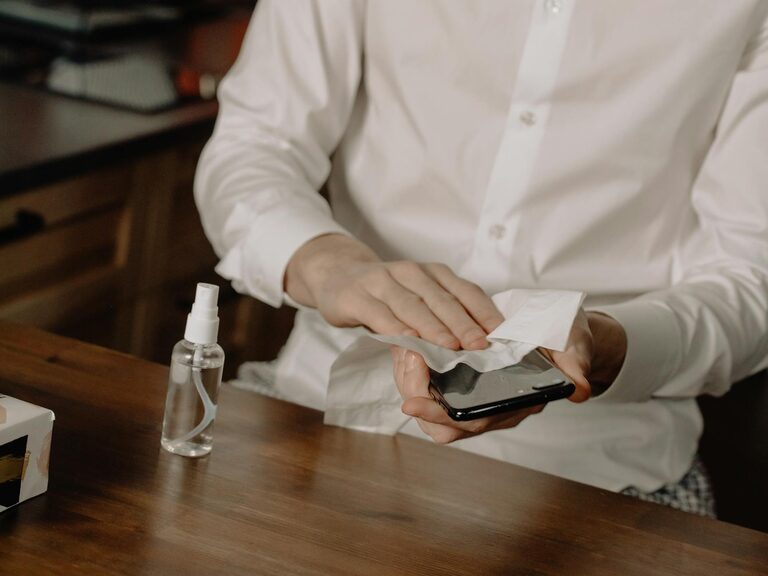
Keeping your phone and keyboard clean is important not just for hygiene, but also to maintain the good working condition of your devices. Everyday use exposes these gadgets to dust, oils, and germs. In this guide, you’ll find easy, safe, and effective ways to clean your phone and keyboard without causing any damage.
Why Clean Your Phone and Keyboard Regularly?
Phones and keyboards are two of the most frequently touched items in daily life. Our hands transfer oils, dirt, and bacteria to these surfaces, which can build up over time. Cleaning these devices regularly:
– Reduces germs and bacteria
– Prevents sticky keys and screen smudges
– Extends device lifespan
– Enhances appearance and usage comfort
Now, let’s explore how to clean these devices safely.
What You’ll Need
Before starting, gather the following supplies:
– Microfiber cloths (soft, lint-free)
– Cotton swabs
– Isopropyl alcohol (at least 70%)
– Distilled water
– Small spray bottle (optional)
– Compressed air canister
– Mild soap (optional)
– Soft brush (optional)
Avoid using harsh chemicals, bleach, or abrasive materials.
How to Clean Your Phone Safely
Phones have sensitive screens and electronic components, so it’s important to clean them properly.
Step 1: Power Off Your Phone
Always turn off your phone and unplug any cables before cleaning. This prevents accidental damage or short circuits.
Step 2: Remove the Case and Accessories
Take off any phone cases, screen protectors, or attachments to clean all parts thoroughly.
Step 3: Prepare Your Cleaning Solution
Mix equal parts distilled water and isopropyl alcohol in a spray bottle. This solution disinfects without damaging screens. Alternatively, pre-moistened alcohol wipes designed for electronics are safe options.
Step 4: Wipe the Phone’s Surfaces
Lightly spray the microfiber cloth with the cleaning solution—never spray directly on the phone. Wipe down the front, back, edges, and buttons gently but thoroughly.
Step 5: Clean Hard-to-Reach Areas
Use cotton swabs lightly dampened with the solution to clean around buttons, camera lenses, and ports. Be careful not to let moisture seep inside openings.
Step 6: Dry and Reassemble
Let your phone dry completely before reattaching the case and turning it back on.
How to Clean Your Keyboard Safely
Keyboards trap dust, crumbs, and grime between keys. Cleaning regularly can improve typing comfort and hygiene.
Step 1: Unplug Your Keyboard
If using a wired keyboard, unplug it. For wireless keyboards, turn them off.
Step 2: Shake Out Loose Debris
Turn the keyboard upside down and gently shake it to dislodge crumbs and particles. You can also use a can of compressed air to blow debris from between the keys.
Step 3: Clean the Surface
Dampen a microfiber cloth with a mixture of mild soap and water or the alcohol solution (alcohol is better for disinfecting). Wring out excess moisture well. Wipe the top and sides of the keyboard.
Step 4: Detail Cleaning Between Keys
Use cotton swabs or a soft brush dipped in the cleaning solution to clean between the keys. Be cautious not to saturate the keyboard.
Step 5: For Mechanical Keyboards: Key Removal
If your keyboard has removable keys, you can carefully pop them off using a keycap puller or a flat tool. Clean keys individually using soapy water, dry them fully, and clean the base keyboard area.
Step 6: Dry Completely Before Use
Allow your keyboard to dry fully before plugging it back in or turning it on.
Additional Tips for Maintaining Clean Devices
– Wash your hands before using devices to reduce transfer of oils and dirt.
– Avoid eating or drinking near phones and keyboards.
– Use screen protectors and keyboard covers to reduce buildup.
– Clean devices regularly, ideally once a week.
– Store devices in a clean, dust-free area when not in use.
What to Avoid When Cleaning
– Never use bleach, abrasive cleaners, or ammonia-based products.
– Avoid excess moisture; devices are vulnerable to liquid damage.
– Don’t spray cleaning solutions directly onto devices.
– Avoid rough materials that can scratch surfaces.
Conclusion
Regularly cleaning your phone and keyboard with safe, gentle methods can improve hygiene, performance, and appearance. Gather a few simple supplies, follow these easy steps, and your gadgets will stay looking and working their best. Remember, consistency is key — a little care goes a long way!